Will Dylan · Webinars & webcasts
Webinar production in Singapore.
Will Dylan provides webinar live streaming and webcast production in Singapore for presentations, panel discussions and corporate briefings. We bring together studio or remote speakers, slides, sound and branded graphics, with rehearsals and recordings planned around your session.
Studio, onsite & remote production · Singapore
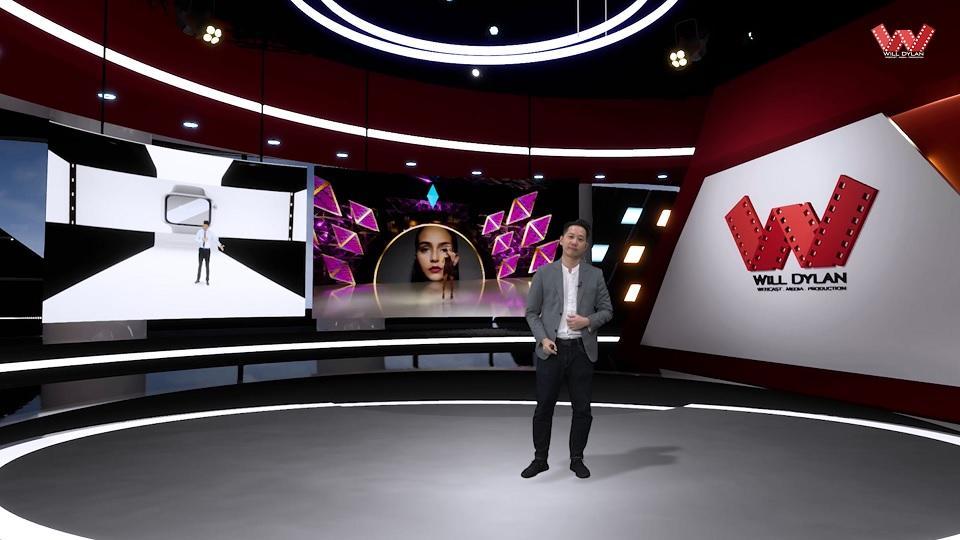 A studio built around your message
Studio speakers & remote guests
Cameras, sound, slides & graphics
Live delivery, recordings & replays
Choose your format
One conversation.
More ways to connect.
From a live panel to a recorded interview series, we shape the production around your audience, content and where it will be watched.
01 / WEBINARS
Make your expertise accessible.
Presentations, panel discussions and training sessions with slides, speaker feeds and moderated interaction.
02 / WEBCASTS
Broadcast your message.
Executive updates, announcements and corporate briefings, with a considered programme for viewers online.
03 / VIDEO PODCASTS
Give the conversation room.
Record interviews and discussions with multiple camera angles, clear audio and an edit shaped around your story.
From our existing work & demos
See the production possibilities.
Explore a webinar layout demonstration and the studio setting behind a presentation. The right setup depends on your speakers, format and brief.
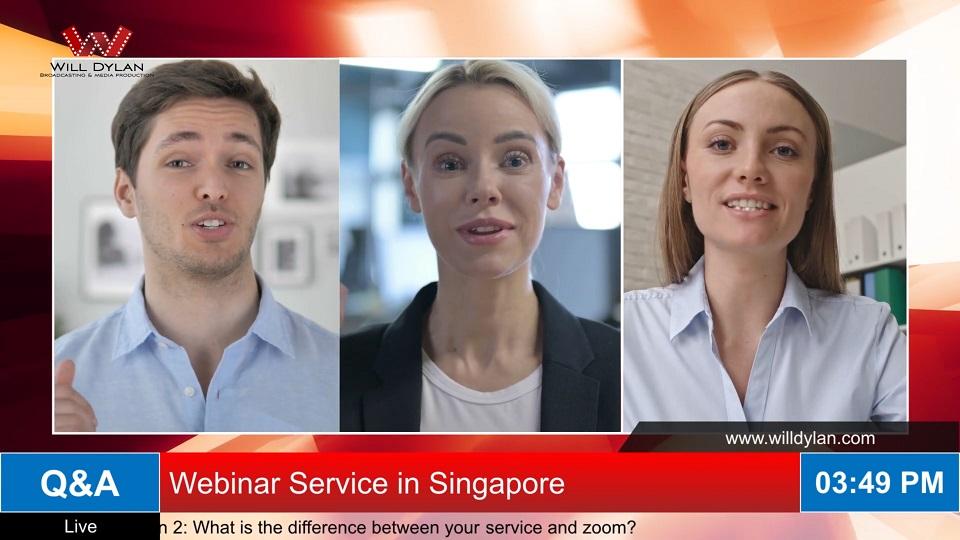 Watch the webinar demo
Bring every speaker into the picture.
See how speaker feeds and branded layouts can form a coordinated webinar programme.
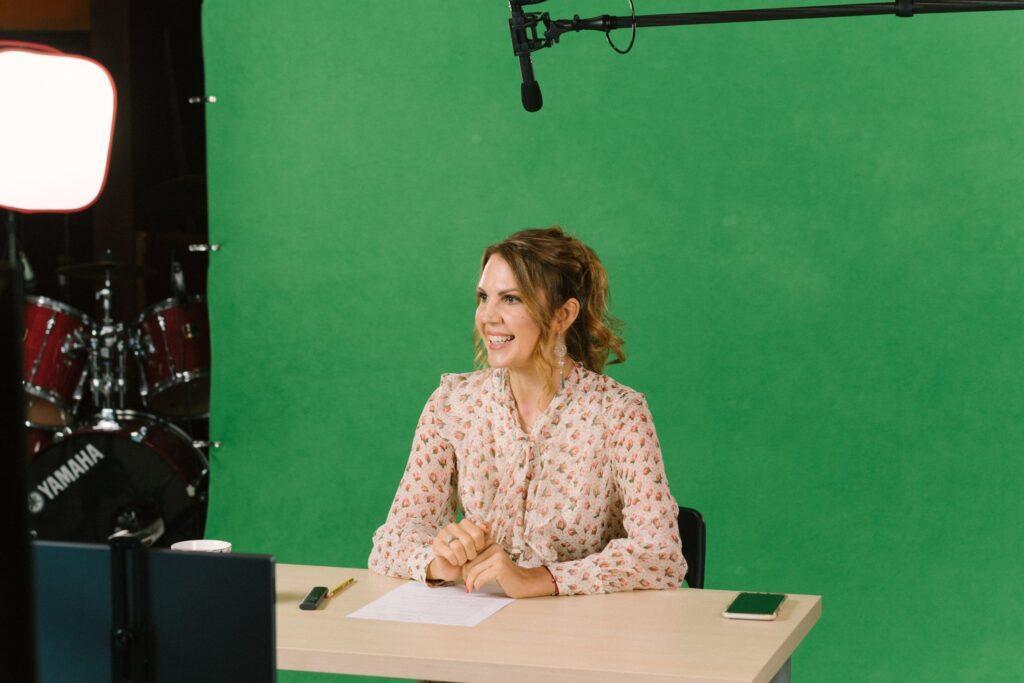
A considered setup for your presenter.
Plan the sound, lighting, framing and presentation setup before going live.
View archive webinar projects
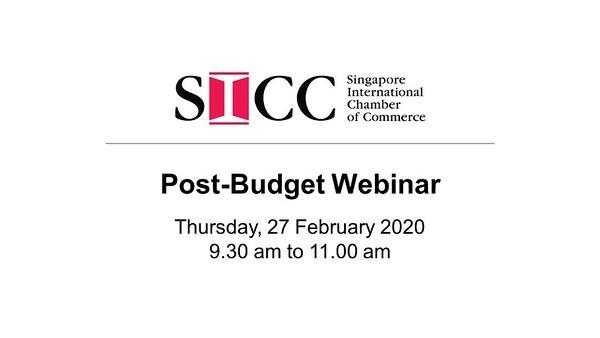
SICC Post-Budget Webinar
Archive project · February 2020

Navigating opportunities and uncertainties
Archive project · February 2020
Webinar production services
You lead the discussion.
We manage the production.
Our team helps turn your agenda into a broadcast, with the technical and presentation details planned together.
Talk through your event- Speakers, slides & running orderPlan presenter feeds, final slide decks, speaker handovers and programme cues. Use the rehearsal to check screen sharing, slide changes and the moderator’s transitions.
- Cameras, audio & live switchingBuild a setup for your studio or venue, with the camera coverage and sound your session needs.
- Branding & audience interactionPrepare agreed titles and graphics, and plan Q&A or polls around the platform’s available features. Confirm who selects questions, runs polls and responds to attendees.
- Recording & post-productionAgree whether you need the switched programme, separate speaker or slide recordings, an edited replay or shorter highlights. Recording options depend on the production setup and platform.
The platform should fit the purpose
Your audience.
Your way of connecting.
We can work with your organisation’s preferred platform or help you plan a suitable webinar or webcast setup. Start with who is watching and what they need to do.
Features, access controls, capacity and licences are confirmed for the selected platform and plan.
Agree who handles what.
- Platform & audience accessConfirm the account holder, host permissions, licences, registration and attendee communications.
- Speaker preparationAgree the rehearsal, final slides, joining instructions and the person coordinating speakers.
- Moderation & attendee supportAssign the moderator, Q&A and poll operators, and the contact for audience access questions.
- Recording & replayConfirm speaker permissions, the agreed files and who will publish or share the recording.
From brief to broadcast
A clear plan before you go live.
Production works best when your speakers, organisers and technical team know what happens next.
01 / Plan
Plan.
Agree the audience, platform, running order, production scope and responsibilities for registration and moderation.
02 / Rehearse
Rehearse.
Test speaker connections and sound, walk through final slides and handovers, and rehearse the Q&A workflow.
03 / Produce
Produce.
Manage cameras, audio, graphics and the live programme while your speakers focus on the content.
04 / Repurpose
Repurpose.
Prepare the agreed recording, replay or shorter edits for use after the session.
For a useful quotation
Start with a clear webinar brief.
Send the details you have, even if the agenda is still taking shape. These six points help us scope the crew, rehearsal, platform requirements and deliverables.
Request a webinar quotation- Date, duration & rehearsalInclude the event time, programme length and available rehearsal window.
- Speakers & locationsTell us how many presenters will join from a studio, venue or remote location.
- Audience & platformShare expected attendance, your preferred platform and any registration or access requirements.
- Agenda, slides & brandingOutline the sessions, presentation materials, speaker titles and graphics you need.
- Interaction & responsibilitiesSpecify Q&A, polls and moderation, plus who will manage invitations and attendee support.
- Recordings, edits & budgetList replay or clip requirements, captions, delivery dates and your budget range.
Video podcast production
Keep a good conversation going.
Turn interviews, panel discussions and subject expertise into a video podcast series. Plan the set, camera angles and audio together, then shape the conversation into an episode people can follow.
We can discuss recording in our Singapore studio or at your location, with editing, captions and shorter clips included in the agreed scope.
Built for the content you want to make.
- Interviews & expert conversationsGive your guests a setting that supports a focused discussion.
- Branded studio optionsExplore a physical setup or a virtual set for your presentation.
- Episodes & shorter editsPlan your main episode and the extracts you need for other channels.
Before your session
Webinar questions,
answered.
Have a date or a first idea? Tell us what you want the audience to take away.
Planning a larger hybrid event?What is included in your webinar production services?
We can support production planning, speaker checks, cameras, audio, lighting, slide integration, branded graphics, live switching and recording. Your quotation specifies the crew, rehearsal, equipment and deliverables. Platform licences, registration, moderation and attendee support are agreed separately as part of the scope.
Can you produce a webinar on Zoom or Microsoft Teams?
Yes. We can plan production around Zoom or Microsoft Teams, or discuss a webcast platform that fits your audience. We check account permissions, audience capacity, presentation sharing and interaction requirements before the event. Platform licences and features depend on the chosen service and plan.
Can presenters join remotely or from your Singapore studio?
Yes. Presenters can join from their own locations, our Pasir Panjang virtual production studio or your venue. A rehearsal helps check their connection, camera, microphone, slides and cues before they go live. For a larger event with an audience at the venue, explore our live streaming and hybrid event production.
How should remote speakers prepare for a webinar?
Use the device, camera, microphone and internet connection you intend to use for the session. Choose a quiet space, position the camera at eye level and light your face. Send your final slides before the agreed deadline, then use the rehearsal to test audio, screen sharing, speaker handovers and how questions will reach you.
Who handles registration, moderation and audience questions?
These responsibilities are agreed during planning. Confirm who owns the platform account, sets up registration, sends joining instructions, hosts the session, selects audience questions and assists attendees. Will Dylan’s production scope can include agreed technical support and coordination with your moderator; platform features and additional audience support are confirmed in the quotation.
What is the difference between a webinar, webcast and video podcast?
A webinar typically combines a presentation or discussion with audience interaction. A webcast delivers a broadcast to online viewers and may include moderated Q&A. A video podcast is a filmed conversation or episode, usually edited for later viewing. We help you choose the format for your audience and purpose.
Can we include Q&A, polls and branded graphics?
Yes, these can be included in the production plan. Q&A and polling options depend on the selected platform. We can prepare speaker titles, holding slides and other agreed graphics, and coordinate audience questions with your moderator.
Can the webinar be recorded and edited afterwards?
Yes. We can scope a switched programme recording, an edited replay and shorter highlights or social clips. If you need separate speaker, camera or slide recordings, request them before production; availability depends on the setup and platform. Agree formats, captions, revisions and the delivery deadline, and confirm recording permissions with your speakers.
How much does webinar production in Singapore cost?
Pricing depends on the event duration, speaker locations, studio or venue, cameras, crew, platform, rehearsal and post-production. A useful quotation states the live session and rehearsal hours, equipment and crew, any platform or audience support work, recording formats, editing scope and delivery dates. Share your brief and budget range so we can propose an appropriate setup.
How many people can watch the webinar?
Audience capacity depends on the platform and subscription, rather than a fixed production limit. We confirm the expected attendance, access method and platform capacity during planning. Viewer internet connections and devices also affect their experience.
Let’s get your message on air.
Share your event date, speaker count, audience and preferred platform. We’ll help you plan the production.